|
This page provides summaries and links to articles I have written that are available on the Web. DevX articles include source code in both Visual Basic 2005 and C#.
Note that publishers often post articles without telling me. If you find one that isn't listed here, please let me know.
Note also that DevX requires that you register to read its articles. Registration is free so go ahead and register. (Also for some reason the registration forms requires that you enter a company name, company size, and job title. If you don't have those, just make something up. I recommend "Under 100" for company size and "Developer" for job title.)
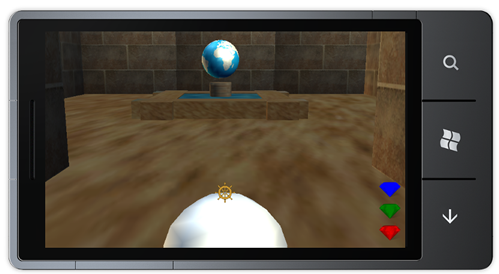 Building 3D Games for Windows Phone
August 2011
This series of articles shows how to write a simple three-dimensional game for Windows Phone 7. The final Marvelous Maze game lets the user explore a simple maze looking for treasures and overcoming obstacles to reach a final goal. This article explains how to create objects in three-dimensional space. It explains how to transform those objects and use projections to display them in a Windows Phone 7 game. It explains a simple 3-D example and how culling lets XNA draw closed solids more efficiently.
The code is in C# because at the time you couldn't write XNA applications for Windows Phone with Visual Basic. Since then support for Visual Basic has been added so you should be able to translate the examples without too much difficulty.
|
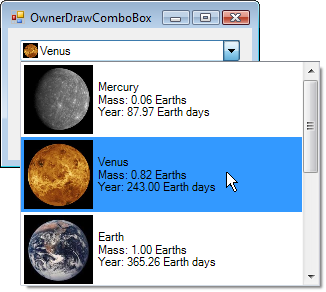 Black Belt Coder: Owner Drawn Controls
July 16, 2011
Learn how to use owner-drawn ListBox, ComboBox, and Menu controls. Change the sizes of menu items, add images, change fonts, and generally display just about anything you want in these controls.
|
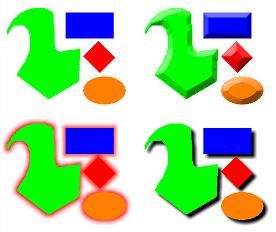 DevX: How to Manipulate Images with .NET Programs, Part II
June 23, 2010
Learn how to add sophisticated area effects to your images such as blurring, embossing, and drop shadows in C# or Visual Basic. The first part of this article explained how to manipulate images one pixel at a time. This article explains how to produce effects that use more than one pixel at a time. It explains how to perform these image operations:
- Blur
- Sharpen
- Emboss
- Detected edges
- Flatten or posterize (reduce the number of colors)
- Solarize (remap colors in an interesting way)
- Randomize
- Rank filter
- Bevel outer boundary
- Bevel non-transparent pixels
- Outer glow
- Drop shadow
Note: This article originally included code describing shape-distorting transformations. Due to length issues, DevX made me cut that part out. If you want to see it, email me.
|
 DevX: Manipulating Images with .NET Programs, Part I
April 30, 2010
With a cheap digital camera you can take a picture, transfer it to your computer, and inflict it on your friends and relatives in a matter of minutes. Sometimes, however, the results aren't quite perfect. Images may be too bright or dark, washed out, or may suffer from red-eye. The first part of this two-part series explains ways you adjust pictures to fix these problems and generally make them look better.
The first part of this article explains image processes that involve one pixel at a time. It explains how to:
- Save images in different formats (png, jpg, gif, etc.)
- Compress jpg images
- Manipulate image pixels quickly
- Perform specific image adjustments such as contrast, brightness, and redeye reduction
|
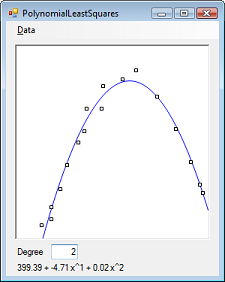 DevX: Predicting Your Firm's Future with Least Squares, Part II
March 31, 2010
The first part of this article explains how to fit a line to data. The second part explains how you can use advanced math -- polynomial least squares -- to analyze your company's data. These kinds of curves let you fit more complex data quickly and efficiently.
In the process of making this kind of fit, you'll learn how to use Gaussian elimination to solve a system of simultaneous equations. That code is useful in other situations where you want to solve a system of multiple equations with multiple unknowns. (In fact, I just used it the other day to find a way to transform an image to a quadrilateral. I think that will probably be included in the DevX article after the next one.)
|
 DevX: Predicting Your Firm's Future with Least Squares, Part I
March 11, 2010
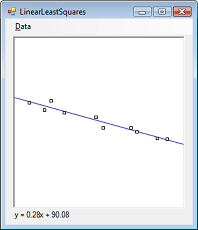
Sometimes you may have a set of data points that you know should fall along a line but, due to variations, errors, and other "noise," the points don't quite line up. The first part of this two-part article explains how you can use advanced math -- linear least squares -- to find the line that best fits your diverse business data.
|
 DevX: Network Knowhow: Partial Orderings
February 25, 2010
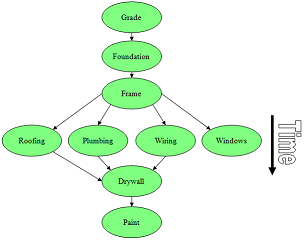
The dependencies among a project's tasks gives you a partial ordering of those tasks. In this article, learn how to extend that to a complete ordering so you can decide what to do first, what to do next, and how long the whole project will take.
This article explains how to extend partial orderings to full orderings. It also explains an algorithm that allows tasks to be performed at the same time in parallel.
|
 DevX: Sound Off with Soundex
January 12, 2010
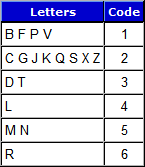
In this article, learn how to use phonetic algorithms such as soundex to make looking up names faster, easier, and more reliable. These algorithms represent words by the way they probably sound rather than how they are spelled so it's easier for a program to find a word or name such as Smith whether it's really spelled Smith, Smithe, or Smyth.
Note that many database systems such as SQL Server have a soundex function to calculate phonetic values for you.
|
 DevX: Turn a Parsnip into a Turnip with Edit Distance Algorithms
December 10, 2009
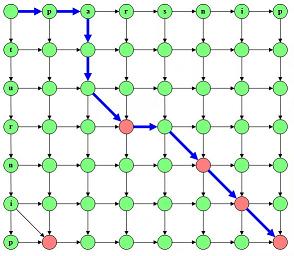
Edit distance algorithms tell you how different two strings are from each other. That lets you see the differences between different versions of a string or file, or add differencing tools to your applications.
The article explains how to implement the edit distance algorithm. It shows how to build programs that can tell how different two strings are and how different two files are, allowing you to build a diff utility.
|
 DevX: WPF Wonders: Using DataTemplates
November 19, 2009
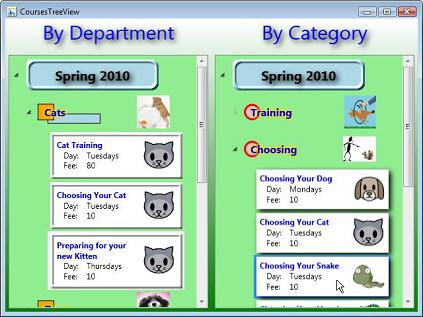
WPF data templates let you determine the pieces a repetitive control uses to display its items. Learn some unique and interesting ways to use data templates for displaying the items in ListBoxes, ComboBoxes, and ListViews.
The example shown on the right displays the same data in two TreeView controls with different DataTemplates. They show different subsets of the data displayed them in different ways.
|
 DevX: WPF Wonders: Building Control Templates
October 6, 2009
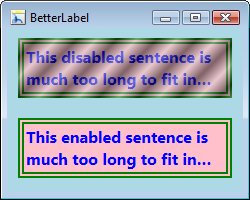
WPF's properties and styles let you change a control's appearance. Templates let you modify a control at a much more fundamental level, changing the components that make up the control and the way it acts.
This article shows how you can use templates to change the fundamental structure of WPF controls. Examples show how to build a Label that wraps text and ends long text with an ellipsis, an interesting button, and a distinctive scroll bar.
|
 DevX: WPF Wonders: Transformations (and Robots!)
August 18, 2009
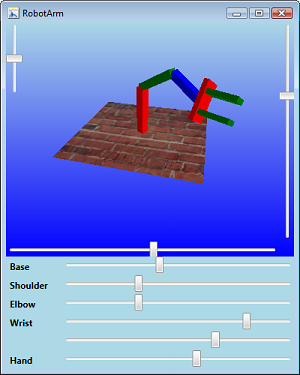
WPF's transformations make it easy to move, scale, or rotate objects, and simplify building complex moveable 3D shapes.
This very cool article explains how to use transformations to make it easeir to produce complex drawings. It explains basic transformations that produce effects such as rotated, stretched, and skewed text.
I then explains how to use transformations can make building advanced 3-D scenes easier. It explains how to use transformations to model the parts of a complicated models such as robots and provides two 3-D examples that build a complex robot arm and a stick figure robot.
|
 DevX: WPF Wonders: 3D Drawing with Textures, Transformations, and Realism (Part 2)
August 10, 2009
To build realism into 3D scenes, you need to draw with the appropriate materials--and transformations help make the drawing process much simpler.
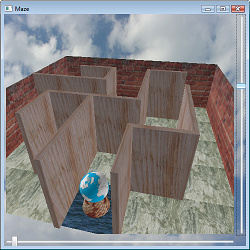
This article explains how to use textures to make scenes more realistic. Textures let you cover 3-D objects with bricks, wood grain, and so forth.
The article also explains how to use transformations to make building complex scenes easier.
The final example draws a wooden maze with a stone floor, containing a spinning globe.
|
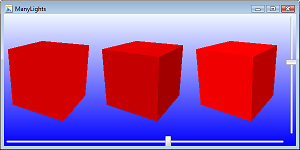 DevX: WPF Wonders: 3D Drawing, Part 1
July 27, 2009
WPF makes drawing three-dimensional scenes quick and easy.
WPF handles many of the more annoying details required to get 3-D drawing set up in Direct3D. By using WPF, you can skip those details and focus on the more interesting modeling work.
Of course WPF has its own hoops to jump through so this isn't completely trivial but at least the set up is a bit easier. And when later versions of Direct3D come out, you hopefully won't need to change your code to make it work. WPF should handle any changes (fingers crossed).
|
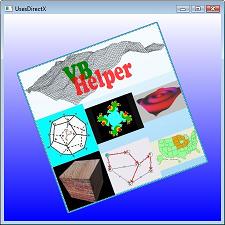 DevX: WPF Wonders: An Alphabetical Compendium of WPF Controls
April 29, 2009
Among many other changes, WPF brings a completely new set of controls. Learn which controls do what and pick up a few tips on getting the most out of them in your WPF applications.
This article summarizes the most useful WPF controls. Some will be familiar friends (TextBox, Label, Button) but others will be new acquaintances (StackPanel, BulletDecorator, DocumentViewer).
|
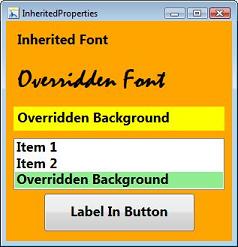 DevX: WPF Wonders: Properties and Events
January 22, 2009
Setting properties and handling events in Windows Presentation Foundation are fundamentally different than they were in Windows Forms. Find out how to deal with properties and events in both XAML and WPF-targeted code.
|
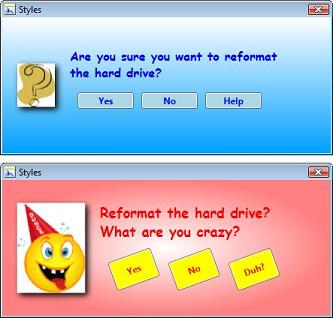 DevX: WPF Wonders: Getting Started with WPF
January 9, 2009
Learn how to use Windows Presentation Foundation to build engaging, dynamic user interfaces that can really grab the user's attention.
This article proivides an overview of WPF and describes some of its goals and capabilities. It illustrates those capabilities with lots of pictures.
|
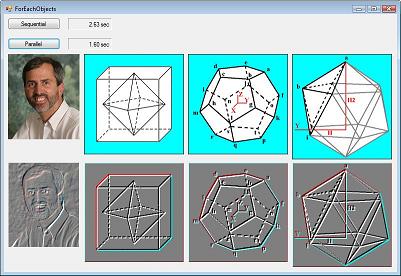
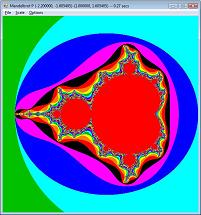 DevX: Getting Started with the .NET Task Parallel Library: Multi-Core Case Studies
September 29, 2008
There's more to any programming tool than just theory-and the TPL is no exception. Learn about the techniques Rod Stephens used and the problems he encountered in these parallelism case studies.
This article discusses the problems I encountered and the results I got when converting several applications to use the Task Parallel Library. The programs are:
|
 DevX: Getting Started with the .NET Task Parallel Library
September 26, 2008
If you have a multi-core computer, chances are your first CPU does all the work while the others spend most of their time twiddling their electronic thumbs. Learn to unlock the idle power of your underused CPUs to greatly improve the performance of your applications.
This article introduces the Task Parallel Library, which allows you to use all of the CPUs available on your computer relatively easily. Even if you don't have a multi-CPU system, now, you can use the library with very little overhead to prepare for the day when you do!
|
 DevX: Network Know-How: Exploring Network Algorithms
September 3, 2008
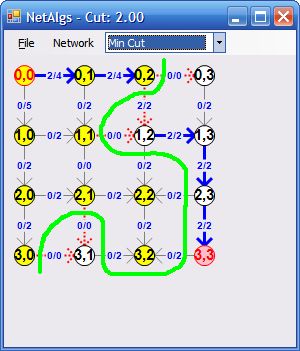
Networks can model all sorts of situations including physical networks as well as non-physical situations. Learn how to use network algorithms to test connectivity, build inexpensive connections, assign work, and split networks as inexpensively as possible.
This article describes four network algorithms: traversal, minimal spanning trees, maximal flow, and minimal flow cut.
|
 DevX: Network Know-How: Finding Shortest Paths
July 23, 2008
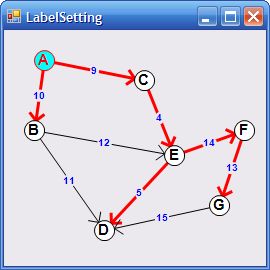
Ever wonder how a GPS or mapping program calculates the shortest path between two locations? Learn how to quickly find the shortest paths through street, telephone, airline, and other networks.
This article explains how to use label setting and label correcting algorithms to find shortest paths through networks. These algorithms are pretty fast. In one test finding all shortest paths from one node to every other node in a 250,000 node network with almost 1 million links in only about 5 seconds. In another test, they found all shortest paths for a network with almost 500,000 nodes and 2 million links in less than half a second.
|
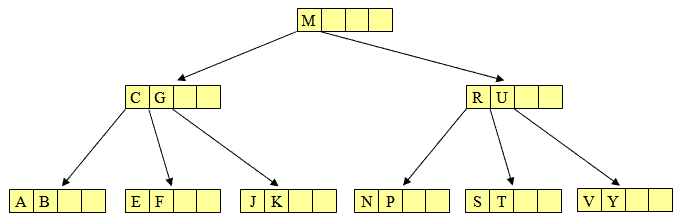 DevX: Taming Trees: B-Trees
June 6, 2008
Learn how to build a B-tree similar to those used by databases to implement indexes.
This article explains how B-trees work. In addition to allowing you to build your own (which is an interesting but difficult exercise), it will give you a better understanding of how relational databases work.
|
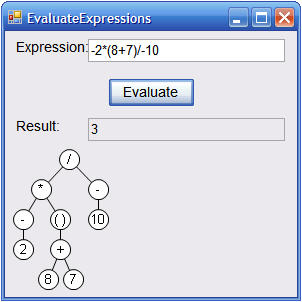 DevX: Taming Trees: Parsing and Sorting
June 5, 2008
Learn how to use parse trees to evaluate mathematical expressions, and how to use sorted trees.
This article explains how to convert arithmetic expressions into parse trees that you can easily evaluate. It also explains sorted binary trees as a preview to the B-trees described in the third article in this series.
|
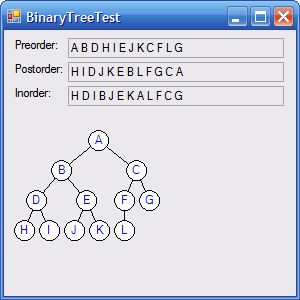 DevX: Taming Trees: Building Branching Structures
May 9, 2008
Learn tree nomenclature and how to build binary trees that can recursively traverse and draw their own nodes.
This article explains terms such as node, branch, degree, level, and other tree terms. It shows how to make simple tree classes and how to make a tree draw itself.
Later articles in this series will show how to make sorted trees and B+Trees similar to those used by databases to provide indexes.
|
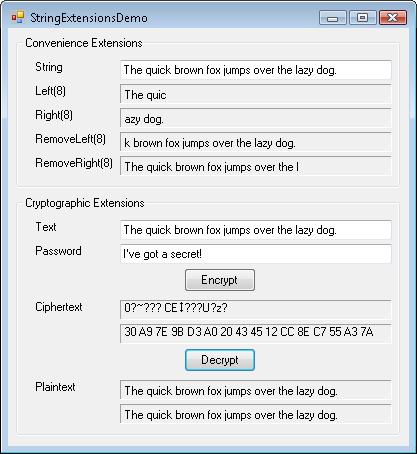 DevX: Building Truly Useful Extension Methods
March 30, 2008
Use extension methods to breathe new life into old classes--even classes that you didn't write!
This article explains how to build extension methods and provides some useful examples that:
Mimic VB6's Left and Right string functions. (Where did they go in .NET?)
RemoveLeft and RemoveRight string extensions that do what you probably imagine.
Encrypt and decrypt strings.
Convert between byte arrays and strings of hrexadecimal digits.
|
 DevX: Book Excerpt: Visual Basic 2005 with .NET 3.0 Programmer's Reference
March 12, 2008
This chapter explains how to print in .NET. It was written for Visual Basic 2005 with the .NET Framework 3.0 but works with other versions, too.
|
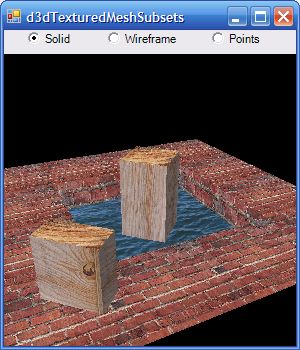 DevX: Direct3D, Part 3: Using Meshes to Save and Load Complex Scenes
March 5, 2008
Direct3D's Mesh class lets you manage, save, and load complex scenes quickly and easily. This article explains how to build scenes in Visual Basic, save scenes into .x files, and load .x files built by your code or by other programs such as Studio Max, Blender 3D, and Lightwave 3D.
|
 Wrox Blox: Visual Basic Graphics Programming
March 2008
This downloadable PDF brief shows you how to add graphics to Visual Basic 2008 applications by explaining fundamental graphics techniques such as:
- Drawing shapes with different colors and line styles
- Filling areas with colors, gradients, and patterns
- Drawing text that is properly aligned, sized, and clipped exactly where you want it
- Manipulating images and saving results in bitmap, JPEG, and other types of files
Also covered are instructions for how to greatly increase your graphics capabilities using transformations, which allow you to move, stretch, or rotate graphics. They also let you work in coordinate systems that make sense for your application. The author also describes techniques for using the above in printouts, describing the sequence of events that produce a printout and show how to generate and preview printouts, with examples which show how to wrap long chunks of text across multiple pages, if necessary.
In addition, you will learn about two powerful new graphic tools that were introduced with .NET Framework 3.0: WPF graphics and FlowDocuments. XAML graphic commands allow a WPF application to draw and fill the same kinds of shapes that a program can draw by using graphics objects.
Finally, a discussion on the FlowDocument object shows you how to define items that should be flowed across multiple pages as space permits. This lets you display text, graphics, controls, and other items that automatically flow across page breaks. FlowDocument viewers make displaying these documents easy for you, and simplifies the user's reading of the documents.
This Wrox Blox also contains 35 example programs written in Visual Basic 2008, although most of the code works in previous versions of Visual Basic .NET as well. The most notable exceptions are WPF graphics and FlowDocuments, both of which require WPF provided in .NET Framework 3.0 and later.
Table of Contents:
- Using Graphics, Pens, and Brushes
- Using Advanced Pens and Brushes
- Drawing Text
- Manipulating Images
- Using Transformations
- Printing
- Using WPF Graphics
- Building FlowDocuments
ISBN: 978-0-470-34348-7
66 pages
US $6.99
|
 Wrox Blox: C# Graphics Programming
March 2008
This downloadable PDF brief teaches you how to add graphics to C# 2008 applications, explaining fundamental graphics techniques such as:
- Drawing shapes with different colors and line styles
- Filling areas with colors, gradients, and patterns
- Drawing text that is properly aligned, sized, and clipped exactly where you want it
- Manipulating images and saving results in bitmap, JPEG, and other types of files
Also covered are instructions for how to greatly increase your graphics capabilities using transformations. Transformations allow you to move, stretch, or rotate graphics. They also let you work in coordinate systems that make sense for your application. You will also learn how to use all of these techniques in printouts. The author describes the sequence of events that produce a printout and shows how to generate and preview printouts.
The final sections describe two powerful new graphic tools that were introduced with .NET Framework 3.0: WPF graphics and FlowDocuments. WPF applications can use XAML graphic commands to declaratively draw and fill the same kinds of shapes that a program can draw by using graphics objects.
Finally, a discussion on the FlowDocument object shows you how to define items that should be flowed across multiple pages as space permits. This lets you display text, graphics, controls, and other items that automatically flow across page breaks. FlowDocument viewers make displaying these documents easy for you, and simplifies the user's reading of the documents.
This Wrox Blox also contains 35 example programs written in C# 2008, although most of the code works in previous versions of C# as well. The most notable exceptions are WPF graphics and FlowDocuments, both of which require WPF provided in .NET Framework 3.0 and later.
Table of Contents:
- Using Graphics, Pens, and Brushes
- Using Advanced Pens and Brushes
- Drawing Text
- Manipulating Images
- Using Transformations
- Printing
- Using WPF Graphics
- Building FlowDocuments
ISBN: 978-0-470-34349-4
69 pages
US $6.99
|
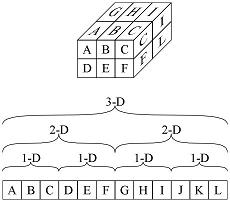 DevX: Use Specialty Arrays to Accelerate Your Code
February 20, 2008
Learn how to build unusually shaped triangular and sparse arrays, and arrays with non-zero lower bounds. The included classes let you manage even multi-dimensional arrays with non-zero lower bounds that are a lot faster than those provided by .NET.
|
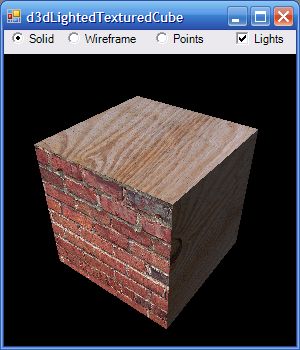 DevX: Drawing with Direct3D, Part 2: Lighting and Textures
December 13, 2007
Learn how to use Direct3D lighting models and textures to create more realistic three-dimensional scenes.
This article explains how to add lighting models and textures to basic three-dimensional scenes. It explains how to use multiple light sources representing ambient light, directional light, spot lights, and point lights. It also explains how to use textures to make objects appear to be built of different materials such as wood or brick.
|
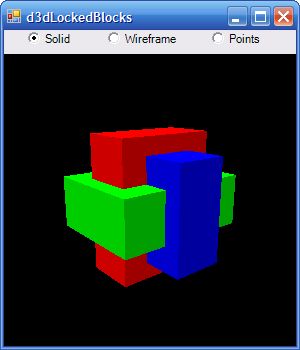 DevX: Drawing with Direct3D, Part 1: Getting Started
November 28, 2007
Learn how to produce amazing, high-performance, three-dimensional pictures in Visual Basic or C# by using Direct3D.
This article explains how to get started drawing three-dimensional graphics with Dircet3D. It tells how to download the SDK, initialize the Direct3D graphics engine, and draw. It explains how to use the Direct3D coordinate system and its drawing primatives to generate some non-trivial images.
There will be at least a couple other articles in this series so get started with this one so you can follow the others and learn more sophisticated three-dimensional techniques such as lighting models, shading, and textures.
|
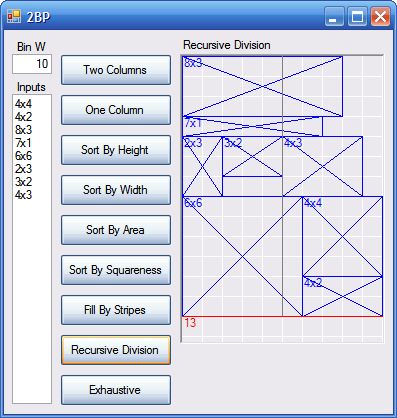 DevX: Solving the 2D Packing Problem
November 14, 2007
In 2D packing the goal is to fit as many items as possible into a specified area, without overlapping. Discover some packing problem variants, and explore some approaches you can use to solve one variation. Then experiment with these on your own and let me know if you come up with a better heuristic.
|
 DevX: Gain Design-Time Power with Control Editors, Part 2 of 2
November 5, 2007
Learn how to support your controls with advanced visualization and property editors in the Properties window.
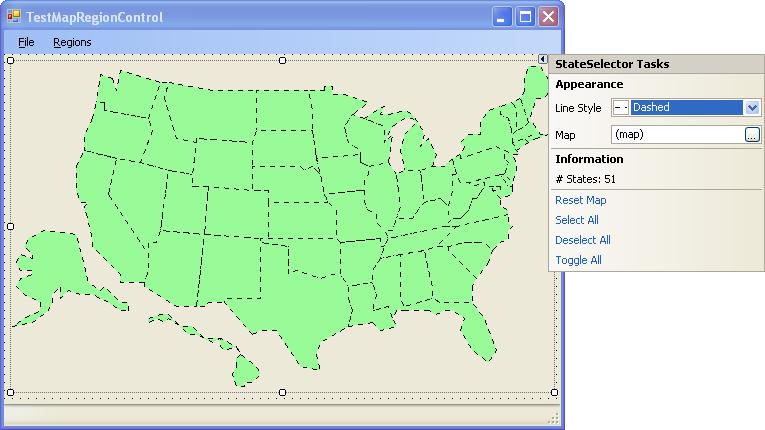
This two-part article explains how to provide advanced support for the Windows Forms Designer and the Properties window with such tools as smart tags, custom property visualizers, custom property selectors, command verbs, and property pages.
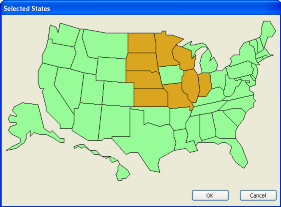
This part explains how to add custom editing dialogs, smart tags, and property pages to your controls.
|
 DevX: Gain Design-Time Power with Control Editors, Part 1 of 2
August 17, 2007
Learn how to support your controls with advanced visualization and property editors in the Properties window.
This two-part article explains how to provide advanced support for the Windows Forms Designer and the Properties window with such tools as smart tags, custom property visualizers, custom property selectors, command verbs, and property pages.
|
 DevX: Making Delicate Decisions
June 28, 2007
Learn how to use decision trees to model just about any problem.
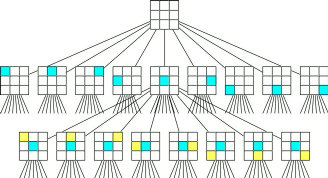
This article shows how to model many difficult problems by using decision trees and shows how to search these trees for good solutions. It explains the "booty division problem" (aka "the partition problem"), the knapsack problem, tic-tac-toe (noughts and crosses), and others. It explains heuristics for finding good solutions to the "booty division problem."
|
 DevX: Use Transformations to Draw Your Own Great Graphs
May 11, 2007
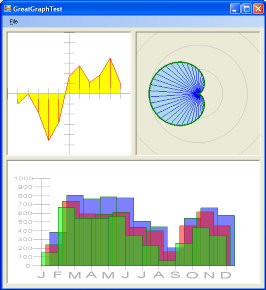
Use .NET to build your own graphing control that displays bar, line, and point data either on its own surface, in a printout, or in an image file.
This article shows how to build your own complicated graphs featuring line, bar, and dot style; maximum, minimum, and average lines; axes with tick marks and labels; and tooltips. You can even let the user drag data points on the graph vertically, horizontally, neither, or both.
|
DevX: Terrific Transformations
May 1, 2007
Learn how to use .NET transformations to make rotating, stretching, and moving objects simple--even for complex objects such as paths and text.
If you have not had much experience with graphics transformations, I highly recommend this article. After you've had some practice with them, transformations can make all sorts of graphics chores easier in Visual Basic .NET.
|
DevX: Add Flexible Sort Capabilities to ListView Controls
April 3, 2007
Learn how to make the ListView control sort by a column when a user clicks on a column header, sort by all columns, or sort in just about any other way you can imagine. You can also use the techniques described here to provide custom sort orders in other objects such as List, ArrayList, and Hashtable. You can then easily display objects in multiple orders such as sorted by name, account number, balance, or date overdue.
|
DevX: Splash Screens
February 29, 2007
 This article is an excerpt from Chapter 19, "Splash Screens," in my book Expert One-on-One Visual Basic 2005 Design and Development. It lays out the process and considerations for one of the most common tasks that developers are called upon to do--and one that has caused untold amounts of trouble for them. Find out how to display non-rectangular splash screens, control splash screen duration, show application load progress, create About dialogs, and other often-requested, but not-so-well-known splash-screen features.
|
Wrox: Executing SQL Statements at Runtime in VB 2005
March 23, 2007
This article is an excerpt from Chapter 9, "Scripting," in my book Expert One-on-One Visual Basic 2005 Design and Development. It explains how to allow a program to run SQL scripts at run time. I've used this technique in several projects to allow users to build their own reports. Often users can think of dozens or even hundreds of reports and allowing them to build their own saves developer time and gives the users more freedom.
I've also used this technique to execute scripts myself. For example, you can write simple SQL scripts that automatically create entire databases, building tables and entering test data. This makes testing the application a lot easier.
|
DevX: Four Heuristic Solutions to the Traveling Salesperson Problem
January 30, 2007
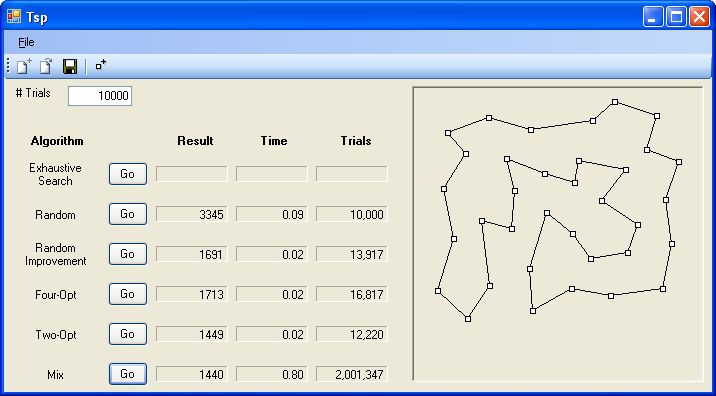 The Traveling Salesperson Problem doesn't have a realistic single best solution, but you can use heuristics to find good solutions and possibly enjoy big savings on fuel costs.
|
DevX: Master .NET's Text Tricks
January 1, 2007
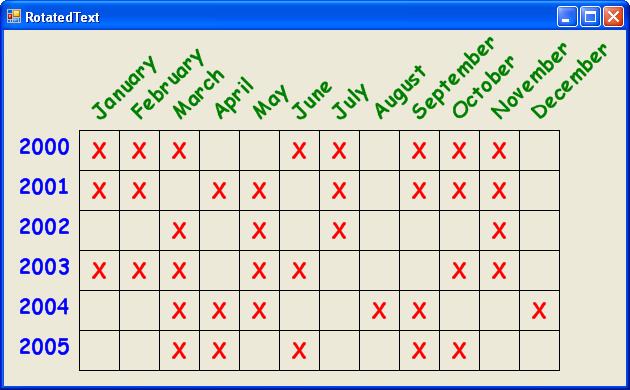 Learn how to use the Graphics object's methods to draw text in different fonts-clipped, wrapped, aligned, stretched, and rotated in all sorts of ways.
|
DevX: Breathe New Life into Old Controls with ExtenderProviders
December 1, 2006
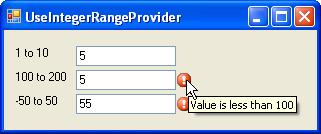 Learn how ExtenderProviders let you add new properties and behaviors to existing controls and components. This article shows how to make extenders to add extra information to existing controls, display status information and instructions, validate required fields, and check that fields are within required bounds.
|
DevX: Colorful Algorithms: Solving Map-coloring and Related Problems
October 27, 2006
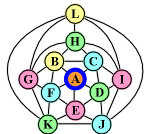 It has been proven that you can always color a map with four colors in such as way that no two adjacent regions have the same color. Unfortunately doing so can be both difficult and time consuming-but it's not too hard to color a map with five colors. This article shows how to quickly color a map with five colors. It includes a simple map editor that lets you try out the algorithm.
|
DevX: Beautify Your UIs with Perfect Pen and Brush Control
October 18, 2006
 Spice up your interfaces by taking full advantage of the Pen and Brush classes capabilities in the .NET Framework. Learn to create dashed and striped lines, control line joins, make custom end caps, and use brushes to create interesting patterns and colorful gradients.
|
DevX: Decorate Your Code with Astonishing Attributes
September 13, 2006
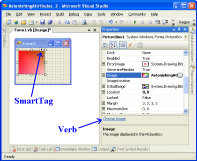
Attributes provide extra information about your code that allows tools such as Visual Studio to make using your code easier. For example, they tell the Properties window how to display and edit properties and they let you fine-tune XML serialization. This article shows how to use attributes to make your code easier to use.
|
InformIT: Getting Started with VB6 and XML
January 5, 2002
VB.NET provides a host of new features for working with XML, but you don't have to wait for VB.NET to get started. Microsoft's MSXML library can get you up and running now. This article explains how to get started using XML in Visual Basic 6. It provides several examples showing how you can use XML documents in VB 6 applications.
|
|